In this module
Module 5 · Lesson 5.4 · [CORE] · From Idea to First Paying Customer
Input: a 50-name list sorted into 4 buckets from Lesson 5.3
Output: 4 message templates (one per bucket) + one 90-second Loom recording
Progress: M5 · 4 of 7
The instinctive first message - “quick chat?” - gets zero replies. The message that works is 5-7 sentences with one specific reference, one line on the problem, and a Loom (a screen-recording tool - record your screen and voice, share a link).
Every message follows the same 4-part structure. What changes by bucket is the opening line:
| Bucket | Opener |
|---|---|
| Champions | “Hey [NAME], you mentioned [the exact thing they said] back in [MONTH]. Still happening?” |
| Hot | “Hey [NAME], just saw [a specific thing they posted or shipped recently]. Have a question about [THE_PROBLEM].” |
| Warm | “Hey [NAME], have not caught up since [the last specific touchpoint]. Working on something I think you might have a take on.” |
| Cold | “Hey [NAME], a true one-line reference (‘we were both in the Acme batch’).” |
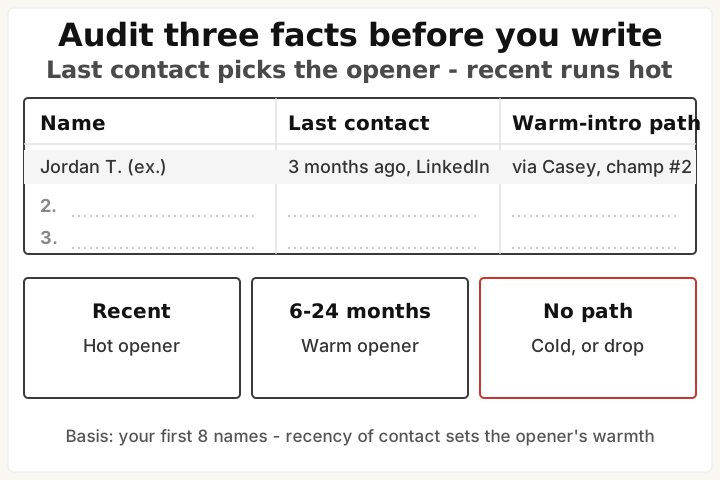
If no real reference exists for a cold-bucket name, move them to Lesson 5.7 cold outbound instead.
Part 2: One line on the problem, in their language. Use the verbatim Q3 answers from your Lesson 5.1 survey. “I am building a tool that lets B2B marketers run an end-to-end attribution model without an analyst.”
Part 3: A Loom video, not a paragraph. Record one 90-second Loom. Show your product in 60 seconds, you on camera for the other 30. The Loom script comes directly from your Lesson 5.1 verbatims. Read the Q2-Q3 quotes aloud, then point at the product feature that addresses the pain they describe.
Part 4: A specific ask. “15 minutes to walk you through it and see if it solves [THE_PROBLEM]? Open to a paid pilot if it does. Calendly: [LINK].” (Calendly is a free scheduling page that lets people pick a call slot without the email back-and-forth.) The “paid pilot” teaser is load-bearing - you only mention it here. The full mechanic, contract, and deposit live in 5.6, which you’ll read before any money is due.
Total length: 5-7 sentences. Anything longer and the recipient skims and forgets.
Write:
- Open the Google Sheet from 5.3. Write one opener for your #1 champion. Reference the exact thing they complained about.
- Copy the Part 2 line from your Lesson 5.1 survey verbatims. Do not rewrite in your own voice.
- Record one 90-second Loom: 60 seconds product, 30 seconds you on camera. Use the Lesson 5.1 verbatims as your script.
- Fill in Part 4 with your Calendly link.
- Repeat the opener for your hot, warm, and cold buckets. Parts 2-4 stay the same for all 50.
- Success check: read the champion message aloud. Does it sound like something you’d actually say to that person? If it sounds like a template, the opener isn’t specific enough. Full pass: all 4 variants drafted, with your Loom link playing.
If this fails: the message still reads generic after 2 rewrites.
- Why: you’re writing in your marketing voice, not your Lesson 5.1 verbatim quotes.
- Fix: paste the exact Q3 answers from your survey into Part 2. If the words are not theirs, swap until they are.
If this fails: you can’t find a real reference for a cold-bucket name.
- Why: they should not be in your cold bucket.
- Fix: move them to Lesson 5.7 cold outbound. The playbook there is designed for zero-context outreach.
Read your champion opener aloud to yourself. If you wouldn’t send it to that person right now, rewrite the opener until you would.
Done: 4 message templates written and one 90-second Loom recorded.
You have now: sorted 50-name list (5.3) + 4 message templates + Loom (5.4). Time to send.
Next: 5.5 · Send, Track, and Read the Replies - sends your messages in the right order and teaches you to read the replies.
If blocked: see “If this fails” above.
See it in action: Module 5 walkthrough: Mia gets paid
Built by JetThoughts as part of the From Idea to First Paying Customer curriculum.