JetThoughts has been building software since 2008. Book a call, or write to sales@jetthoughts.com. You'll leave the call with a written one-page scope within 2 working days.

A 30-minute call; pick a time.
Complete Rails 8 Docker deployment guide with production-ready configurations. Multi-stage builds, security hardening, performance optimization, and Kamal alternative strategies.
· JetThoughts Team
Complete enterprise guide to scaling LangChain and CrewAI from prototype to production. Covers architecture patterns, security, compliance, monitoring, and real-world case study with 80% improvement metrics.
· JetThoughts Team
Porting a Kamal 1 config to Kamal 2 fails on unknown key: traefik. Here is what each dead key became, and what a working first deploy on one server looks like.
· JetThoughts Team
With the release of Rails 8, Kamal will be the default tool for deploying Rails applications, simplifying the process for developers.
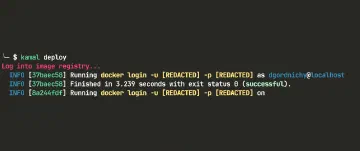
In Rails 8, Kamal will be included by default. This change aims to simplify deployment and infrastructure management processes for developers.
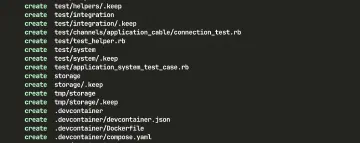
Development container is a full-featured coding environment.
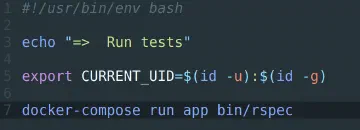
Run your test suite inside Docker Compose containers for isolated, reproducible CI builds. Includes a reusable Rails setup you can drop into any project.
Setting up Docker for a Ruby on Rails 7 application from scratch, from installing Docker to a working container the whole team can share.
Mozilla recommends this way because it ensures Firefox and all the required libraries are installed and configured optimally for your distribution.
JetThoughts has been building software since 2008. Book a call, or write to sales@jetthoughts.com. You'll leave the call with a written one-page scope within 2 working days.
A 30-minute call; pick a time.